The Kenough Kubernetes Cluster
The nodes #
I named them ken1 and ken2 because, despite being outdated mini PCs, they are kenough to be Kubernetes clusters.

Quick hardware overview:
- i7-6700T (both)
- Ken1: 32GB RAM, 500GB WD SN770 SSD
- Started with 20GB and a no-name SSD. Don't try to make things work with no-name SSDs.
- Runs Talos
- Ken2: 16GB RAM, 500GB WD Blue SSD
- Runs k3s
The Cilium Mesh Experiment #
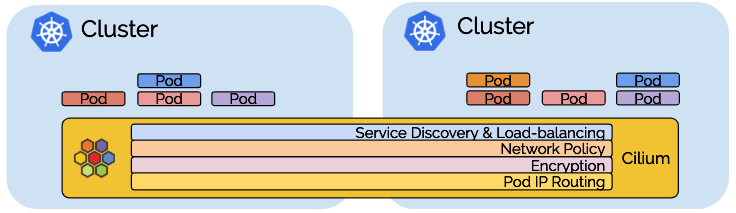
Cilium has a Cluster Mesh feature that allows you to extend the Cilium service mesh on multiple clusters together: https://cilium.io/use-cases/cluster-mesh/. I want to test this feature across a real physical network separation by running a Kubernetes cluster each on the Kens and having apps communicate across the Cluster Mesh. A 1Gb link between two clusters of 4 cores should sorta kinda maybe be representative of a 100Gb link between two production clusters of 400 cores.
Talos Linux on Proxmox #
After some brief attempts with KinD and microk8s on Ubuntu I decided to look into this Talos Linux thing and was immediately very happy.
Reference to follow: Talos on Proxmox
Warning: dense setup notes after this point.
Setup I: Template VM #
Generate a Talos image with the guest-agent extension. Create a VM following the minimum specs:
| Role | Memory | Cores | Disk |
|---|---|---|---|
| Control plane | 2GB | 2 | 10GB |
| Worker | 1GB | 1 | 10GB |
Configuration
- Enable guest agent
- Disable RAM ballooning
- Put the disk ahead of the install CD in the boot order
- Convert to template when ready
Setup II: Cluster bootstrap #
Do a full clone of the template and boot it. Apply the config for the first control plane node, then set TALOSCONFIG the generated config file and run talosctl config endpoint <IP> and talosctl config node <IP>.
Initialize etcd with talosctl bootstrap, then get your kubeconfig with talosctl kubeconfig ..
Setup III: Additional nodes #
Adding additional nodes:
- control plane:
talosctl apply-config --insecure --nodes $CONTROL_PLANE_IP --file _out/controlplane.yaml - worker:
talosctl apply-config --insecure --nodes $WORKER_IP --file _gen_out/worker.yaml
I created 3 control plane and 3 worker nodes total for the next step of setting up Cilium.
Cilium on Talos #
Reference: Deploying Cilium CNI on Talos
You need to change the machine config to add cni=none. I reset my VMs and generated a new base config: talosctl gen config talos-proxmox-cluster https://$CONTROL_PLANE_IP:6443 --output-dir _out_cilium --install-image factory.talos.dev/installer/ce4c980550dd2ab1b17bbf2b08801c7eb59418eafe8f279833297925d67c7515:v1.7.0 --config-patch @nocni_patch.yaml
nocni_patch.yaml:
cluster:
  network:
    cni:
      name: none
  # Disables kube-proxy
  proxy:
    disabled: true
Once the nodes are partially ready (Pods will not be ready as there is no CNI), use Helm to install cilium.
cilium values.yaml for full CNI+LB+Ingress
# helm install cilium cilium/cilium --version 1.15.6 --namespace kube-system -f cilium-values.yaml

ipam:
  mode: kubernetes

kubeProxyReplacement: true # not since 1.14?

l2announcements:
  enabled: true

externalIPs:
  enabled: false

securityContext:
  capabilities:
    ciliumAgent: ["CHOWN","KILL","NET_ADMIN","NET_RAW","IPC_LOCK","SYS_ADMIN","SYS_RESOURCE","DAC_OVERRIDE","FOWNER","SETGID","SETUID"]
    cleanCiliumState: ["NET_ADMIN","SYS_ADMIN","SYS_RESOURCE"]

cgroup:
  autoMount:
    enabled: false
  hostRoot: "/sys/fs/cgroup"


k8sServiceHost: localhost
k8sServicePort: 7445
# Cilium ships with a low rate limit by default that can result in strange issues when it gets rate limited
k8sClientRateLimit:
  qps: 50
  burst: 100

hubble:
  relay:
    enabled: true
  ui:
    enabled: true

hostFirewall:
  enabled: true

ingressController:
  enabled: true
  loadbalancerMode: shared
  default: true

rolloutCiliumPods: true
I installed the Cilium CLI and ran cilium status to confirm Cilium was healthy.
When using Cilium LB, some additional steps are needed to get it to assign IPs for LoadBalancer and Ingress objects:
- Enable Ingress support (doc)
- Enable L2 Announcements (doc)
- Make a CiliumLoadBalancerIPPool (LB IPAM). I used 10 IPs from the non-DHCP range of my server subnet but as few as 1 can work if you only need Ingress support as Ingress objects can share an LB with loadbalancerMode: shared.
- Make a CiliumL2AnnouncementPolicy
Useful commands #
- Check disks detected by Talos
talosctl disks --insecure --nodes <node IP> - If you missed a required patch on a node it can be easier to start from scratch by resetting it (at boot menu or using talosctl) and applying the patches to start with:
talosctl apply-config --insecure --nodes $IP --file _out/controlplane.yaml --config-patch @patches/drbd_patch.yaml --config-patch @patches/allowcontrolplaneschedule.yaml- _out contains the generated files from
talosctl gen configearlier - patches is a local directory containing the patch yaml
- _out contains the generated files from
- Check node dmesg, very useful when debugging extension errors:
talosctl dmesg - Open the cluster TUI dashboard:
talosctl dashboard - Remove old control plane member from etcd
- Sometimes see hang on etcd waiting to start up due to an old control plane node hanging around in the etcd members
- Get member IDs:
talosctl etcd members - Remove old node by ID:
talosctl etcd remove-member <id>
- Reset a node:
talosctl reset -n <IP> - View/edit node machineconfig:
talosctl edit machineconfig -n <IP>
Metrics and Grafana Cloud #
Talos metrics
- https://www.talos.dev/v1.7/kubernetes-guides/configuration/deploy-metrics-server/
- https://mirceanton.com/posts/2023-11-28-the-best-os-for-kubernetes/#creating-the-talos-configuration-file:~:text=such%20as%20the-,metrics%2Dserver,-.
- Enable rotating certificates, apply manifests
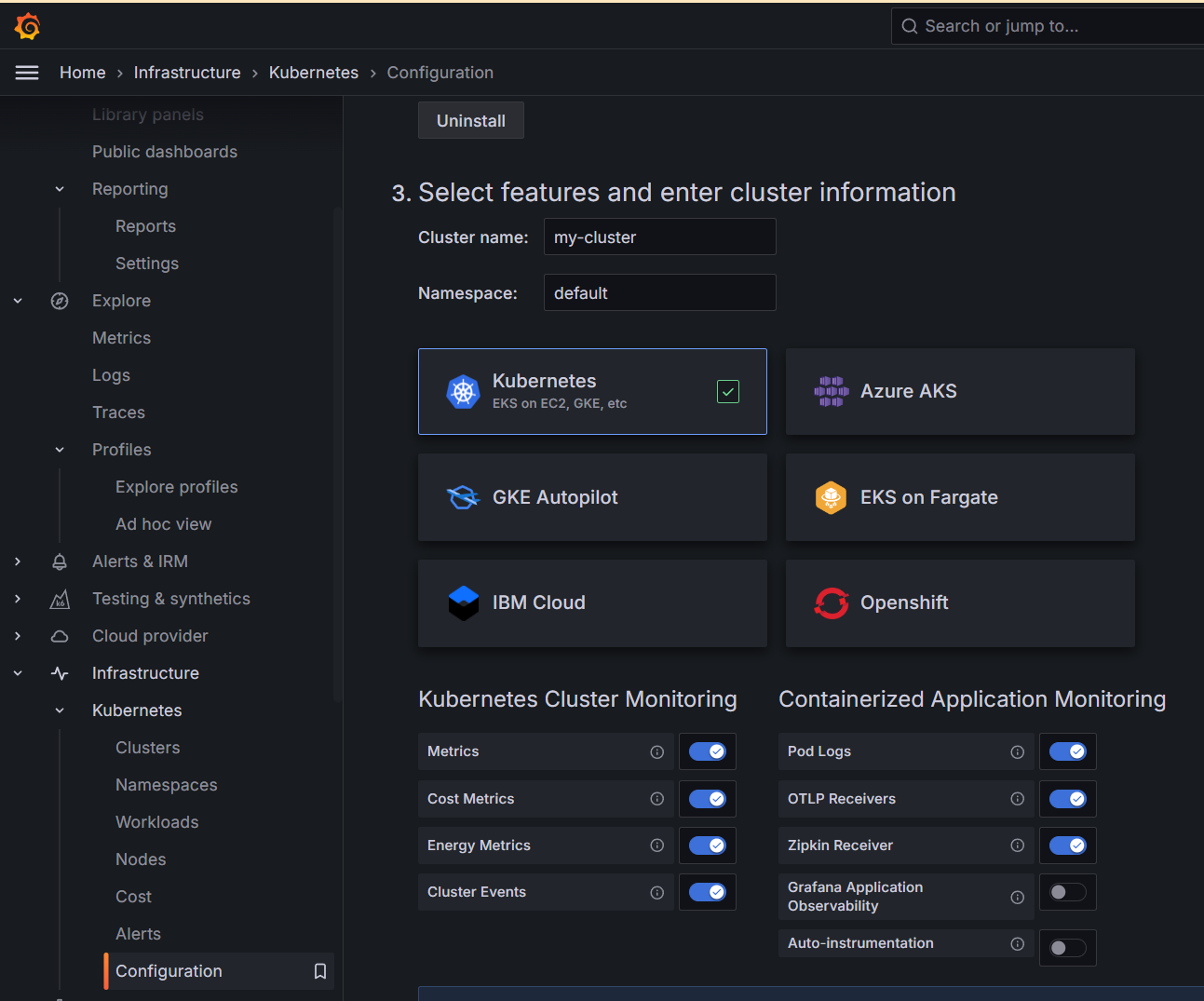
Grafana Cloud has a very reasonable free tier that I signed up for. There's a dedicated Kubernetes section that will generate a preconfigured Helm install for you to remote write metrics to Grafana Cloud with premade dashboards available.
Storage without busy looping half the CPU #
I wanted to have dynamically allocated PVs that are accessible from any node. They'd all use the same SSD but in the future it would scale to multiple disks / multiple nodes.
The first few storage options attempted did not work out:
- I got Mayastor working but it was using a huge amount of CPU since apparently a lot of distributed storage systems have polling loops for maximum performance when you have lots of nodes with lots of cores instead of the reverse of 6 nodes on 4 actual cores.
- OpenEBS almost worked but couldn't detect the built in nvme-tcp kernel module
- Longhorn V2 apparently also has the busy loop issue
- As does Ceph, or at least really isn't suited for small clusters
Enter Piraeus Linstor
- No busy loop, generally resource efficient
- Can use a subset of nodes in your cluster
- Can explicitly control the number of replicas made of a PV, allowing less important PVs to have less or no replicas
- Piraeus operator manages Linstor for you
Here's what it looks like once you have some working pools with storage assigned to PVs:

Piraeus Linstor on Talos Setup Overview #
Full post here:
- Get some nodes ready with an additional disk for Piraeus use
- General list of available storage options https://github.com/piraeusdatastore/piraeus-operator/blob/v2/docs/reference/linstorsatelliteconfiguration.md#example-3
- Take the node offline in Proxmox, add a disk, start it again
- Use the Piraeus Github docs as they seem to be the most up to date, refer to the Talos docs for Talos specific changes
- For Linstor things: https://linbit.com/drbd-user-guide/linstor-guide-1_0-en/
- kubectl krew install linstor to use later
- Upgrade the Talos nodes to enable DRBD
- Apply the DRBD patch to the nodes
- Can enable DRBD and apply patch to entire cluster for simplicity
- Kustomize or Helm install the Piraeus operator (use ns piraeus or piraeus-datastore)
- Need to enable installCRDs
- Create a LinstorCluster object
- Create the Talos-customized LinstorSatelliteConfiguration
- Create a LinstorSatelliteConfiguration for the storage you want to use (eg /dev/sdb), the type (LVM, LVM thin, etc) and what names to use
- use nodeSelector or affinity to make sure it only applies to nodes with that storage
- Create a storage class referencing the storage pool and specifying the number of replicas with autoPlace
- Can create multiple such as making one for single replica and another for 3-replica
- Create a PVC to test
- using a storage class with Immediate binding makes this much easier
Talos patch examples #
Patch collection
Allow scheduling on control plane
cluster:
    allowSchedulingOnControlPlanes: true
DRBD patch for Piraeus Linstor
# https://github.com/piraeusdatastore/piraeus-operator/blob/v2/docs/how-to/talos.md
machine:
  kernel:
    modules:
      - name: drbd
        parameters:
          - usermode_helper=disabled
      - name: drbd_transport_tcp
Metrics patch
# https://www.talos.dev/v1.7/kubernetes-guides/configuration/deploy-metrics-server/
# Needed on all nodes
# also,
# kubectl apply -f https://raw.githubusercontent.com/alex1989hu/kubelet-serving-cert-approver/main/deploy/standalone-install.yaml
# kubectl apply -f https://github.com/kubernetes-sigs/metrics-server/releases/latest/download/components.yaml
machine:
  kubelet:
    extraArgs:
      rotate-server-certificates: true
No CNI patch for installing your own CNI
cluster:
  network:
    cni:
      name: none
  # Disables kube-proxy
  proxy:
    disabled: true
Mayastor patch
- op: add
  path: /machine/sysctls
  value:
    vm.nr_hugepages: "1024"
- op: add
  path: /machine/nodeLabels
  value:
    openebs.io/engine: mayastor
- op: add
  path: /machine/kubelet/extraMounts
  value:
    # for etcd
    - destination: /var/local/mayastor/localpv-hostpath/etcd # Destination is the absolute path where the mount will be placed in the container.
      type: bind # Type specifies the mount kind.
      source: /var/local/mayastor/localpv-hostpath/etcd # Source specifies the source path of the mount.
      # Options are fstab style mount options.
      options:
        - bind
        - rshared
        - rw

    # for loki
    - destination: /var/local/mayastor/localpv-hostpath/loki # Destination is the absolute path where the mount will be placed in the container.
      type: bind # Type specifies the mount kind.
      source: /var/local/mayastor/localpv-hostpath/loki # Source specifies the source path of the mount.
      # Options are fstab style mount options.
      options:
        - bind
        - rshared
        - rw
OpenEBS patch
# talosctl patch --mode=no-reboot machineconfig -n IP --patch @openebs_new_patch.yaml
machine:
  kubelet:
      # # The `extraMounts` field is used to add additional mounts to the kubelet container.
      extraMounts:

      # for etcd
          - destination: /var/local/openebs/localpv-hostpath/etcd # Destination is the absolute path where the mount will be placed in the container.
            type: bind # Type specifies the mount kind.
            source: /var/local/openebs/localpv-hostpath/etcd # Source specifies the source path of the mount.
      #       # Options are fstab style mount options.
            options:
              - bind
              - rshared
              - rw

            # for loki
          - destination: /var/local/openebs/localpv-hostpath/loki # Destination is the absolute path where the mount will be placed in the container.
            type: bind # Type specifies the mount kind.
            source: /var/local/openebs/localpv-hostpath/loki # Source specifies the source path of the mount.
      #       # Options are fstab style mount options.
            options:
              - bind
              - rshared
              - rw
Random notes on various Talos things #
Talos mayastor:
- Talos storage options provided: Cloud if available, Ceph (for large installations), Mayastor (simpler/leaner)
- https://www.talos.dev/v1.7/kubernetes-guides/configuration/storage/
- https://mayastor.gitbook.io/introduction/quickstart/deploy-mayastor
- Guide from the maya side: https://openebs.io/docs/main/user-guides/replicated-storage-user-guide/replicated-pv-mayastor/openebs-on-kubernetes-platforms/talos
- Mayastor
- Need to write a talos patch to enable hugepages and enable the mayastor engine
- Using gen config: talosctl gen config my-cluster https://mycluster.local:6443 --config-patch @mayastor-patch.yaml
- Patch an existing node:
talosctl patch --mode=no-reboot machineconfig -n <node ip> --patch @mayastor-patch.yaml - Install mayastor https://mayastor.gitbook.io/introduction/quickstart/deploy-mayastor
- privileged label on mayastor ns?
kubectl label namespace mayastor pod-security.kubernetes.io/enforce=privileged - Couldn't get all the maya pods up
- Would need to make a Mayastor DiskPool and StorageClass after?
- TALOS INSTRUCTIONS OUT OF DATE FOR MAYASTOR>2.5 https://github.com/openebs/openebs/issues/2767
- With namespace privileges, directory mounted, and 4GB RAM on the mayastor workers it finally came up with >80% host CPU use
- Polling based IO means it will always cause high CPU use https://mayastor.gitbook.io/introduction/troubleshooting/faqs
OpenEBS new instructions https://openebs.io/docs/quickstart-guide/installation
- Need a patch on workers (adjust path mayastor->openebs) https://github.com/openebs/openebs/issues/2767
- and privileged ns kubectl label namespace openebs pod-security.kubernetes.io/enforce=privileged
- OpenEBS doesn't check for built-in nvme-tcp so can't go online
- also expects /home/keys mount and access to /home -> causes kubelet error
Talos Longhorn
- https://longhorn.io/docs/1.6.2/advanced-resources/os-distro-specific/talos-linux-support/
- Need iscsi-tools and util-linux-tools extensions in the image, privileged longhorn ns, an extraMount specified
- Longhorn V2 engine has same idle problem apparently https://github.com/longhorn/longhorn/discussions/8373
Reprovision Talos node with more storage
- Resize in Proxmox, seems to be picked up right away Reprovision Talos node with different disk
- Reassign storage in Proxmox
- Resize disk
- Did it offline (seemed OK) and online (node broke after a bit?)